12 Best Photoshop Plugins We Tested in 2026: Boost Your Creative Workflow
Whether you’re a professional photographer, a high-volume Print-on-Demand seller, or a digital artist, one thing is certain: Photoshop is a powerhouse, but it’s the right Photoshop plugins that actually save you hours of manual work.
In 2026, the landscape of Photoshop extensions has shifted. Adobe’s move to the modern UXP architecture and the rise of AI-driven tools have made many old Photoshop plugins obsolete. Meanwhile, “subscription fatigue” is real—designers are tired of paying monthly fees for tools they should own.
We’ve spent weeks testing dozens of extensions to find the absolute best Photoshop plugins for 2026. In this guide, we’re cutting through the noise. You’ll find a mix of cutting-edge AI technology, essential free utilities, and professional-grade automation tools that we use in our own daily workflow. From one-click watercolor transformations to mass mockup generation, these are the Photoshop plugins that will save you hours of tedious work this year.
Ready to supercharge your canvas? Let’s dive in.
Table of Contents: Best Photoshop Plugins
- 1. MockupBatch
- 2. Photo Collage Maker
- 3. Seamless Texture Generator
- 4. Topaz Gigapixel AI
- 5. Oil Paint FX
- 6. 3D Map Generator
- 7. Fontself Maker
- 8. Pixel2Vector II
- 9. Retouch4me
- 10. Watercolor FX
- 11. Luminar Neo
- 12. Impressionism Paint FX
1. MockupBatch – The Best Photoshop Bulk Mockup Plugin Among Photoshop Plugins

Designers and Print-on-Demand (POD) sellers know the struggle: manually opening PSD files, pasting designs into Smart Objects, saving, and repeating this for hundreds of products. It’s soul-crushing work that takes hours. MockupBatch is the ultimate tool among Photoshop plugins designed to automate this entire process in seconds.
How simple is it? It works in 3 basic steps:
- Select your Mockup Folder: Choose the folder containing all your PSD templates.
- Select your Artwork Folder: Choose the folder with your transparent PNG or JPG designs.
- Select your Export Folder: Tell the plugin where to save the finished files.
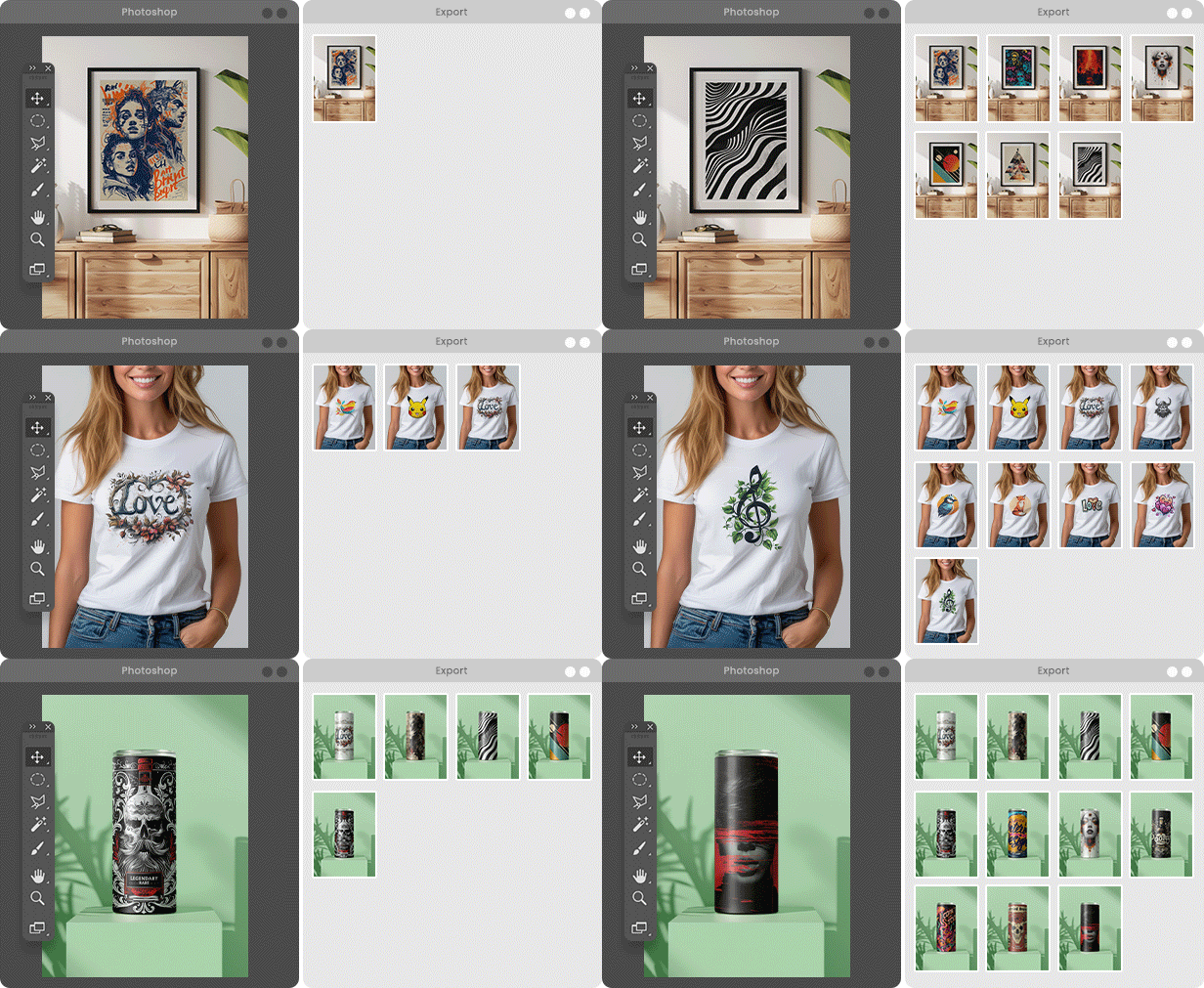
Set your fitting option (Center, Fit, Stretch, or Crop), hit “Start”, and walk away. If you have 10 t-shirt designs and 10 different PSD mockups, MockupBatch will automatically cross-match them and generate 100 perfectly aligned mockups while you grab a coffee.
Why MockupBatch beats the competition of other Photoshop plugins:
While other bulk mockup tools on the market force you into expensive, ongoing subscriptions, MockupBatch takes a creator-first approach:
- One-Time Purchase: Get a lifetime license with a single payment. No recurring monthly fees, no hidden costs.
- Modern UXP Speed: Unlike older legacy Photoshop plugins, it’s built on Adobe’s newest UXP architecture, running natively and lightning-fast on Apple Silicon (M1/M2/M3) and modern PCs.
- Multiple Smart Objects: It easily handles complex templates with several Smart Objects (e.g., a hoodie with a front design, a sleeve logo, and a custom neck tag) completely automatically.
- Video Mockup Export: Stand out on social media. MockupBatch can actually batch-export animated MP4 video mockups directly from Photoshop.
If you want professional automation without being tied to a monthly subscription plan, this is the most efficient tool you can add to your collection of Photoshop plugins.
Explore MockupBatch Features
Also verified and available on the Adobe Creative Cloud Marketplace.
2. Photo Collage Maker – Automated Grids and Layouts with Photoshop Plugins
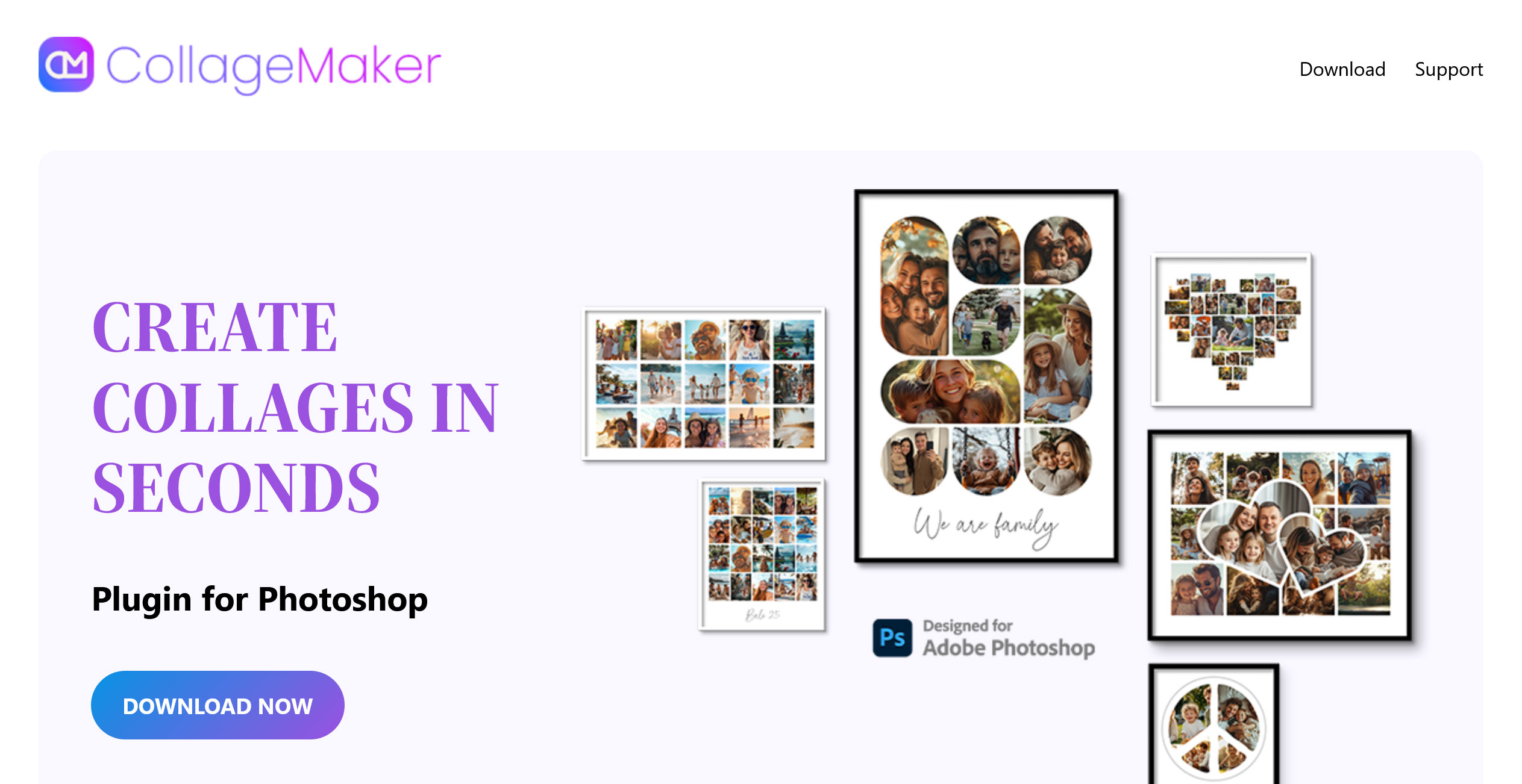
Whether you are a wedding photographer creating storyboards, an Etsy seller showcasing product variations, or a designer building mood boards, manually aligning frames in Photoshop is incredibly tedious. Photo Collage Maker completely eliminates this busywork by automating the entire layout process.
In fact, this tool stands completely unrivaled in the current market. No other Photoshop plugins offer this combination of intelligent features, batch processing, and native UXP performance.
Instead of wrestling with guides and dragging images into clipping masks one by one, this plugin allows you to define your custom layout (rows, columns, spacing, borders) or choose from ready-made templates. Then, simply point it to a folder, and it will auto-fill the frames in seconds.
Why it deserves a top spot in your workflow of Photoshop plugins:
- Intelligent Batch Mode: Need to process hundreds of photos? The plugin can automatically generate multiple collages back-to-back until every image in your folder has been used, exporting them as JPG, PNG, or PSD.
- Smart Face Filter: A massive time-saver for event photographers. The plugin can scan your folder and choose to include only images that feature faces (or exclude them entirely).
- File Name Captions: Automatically display file names beneath each image. This is a game-changer for client proofing and organized cataloging.
- Modern UXP Performance: Built on Adobe’s latest UXP framework, ensuring flawless, lightning-fast performance natively on M-series Macs and modern PCs.
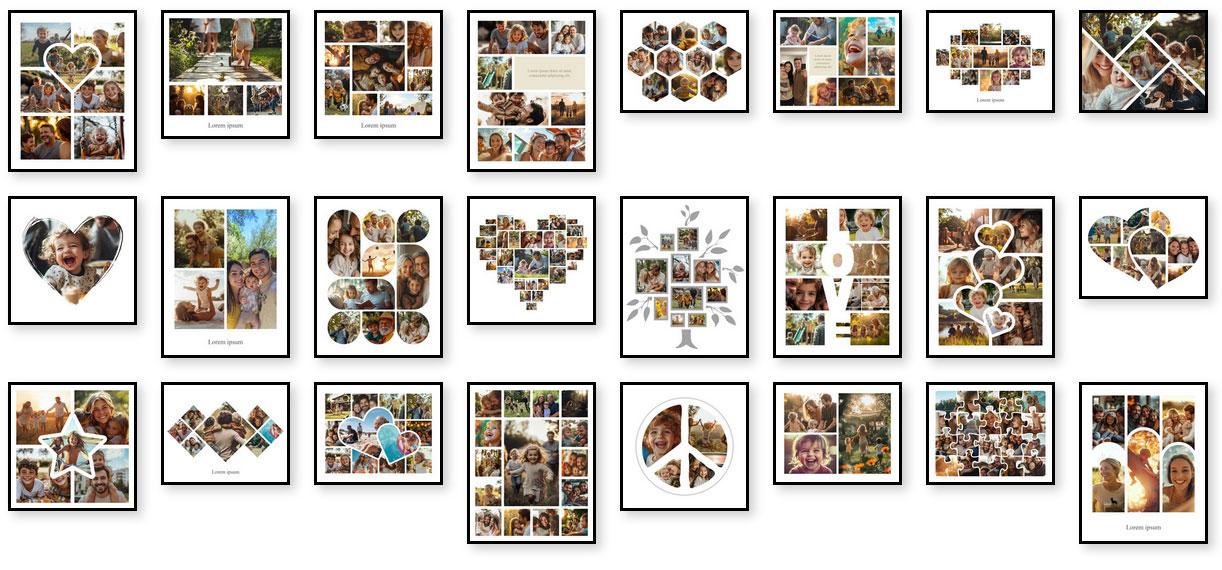 If you regularly need to turn folders of images into clean, consistent, and print-ready grids for social media or clients, this tool will shave hours off your post-production time.
Explore Photo Collage Maker Features
Also verified and available on the Adobe Creative Cloud Marketplace.
3. Seamless Texture Generator – Infinite Patterns via Free Photoshop Plugins
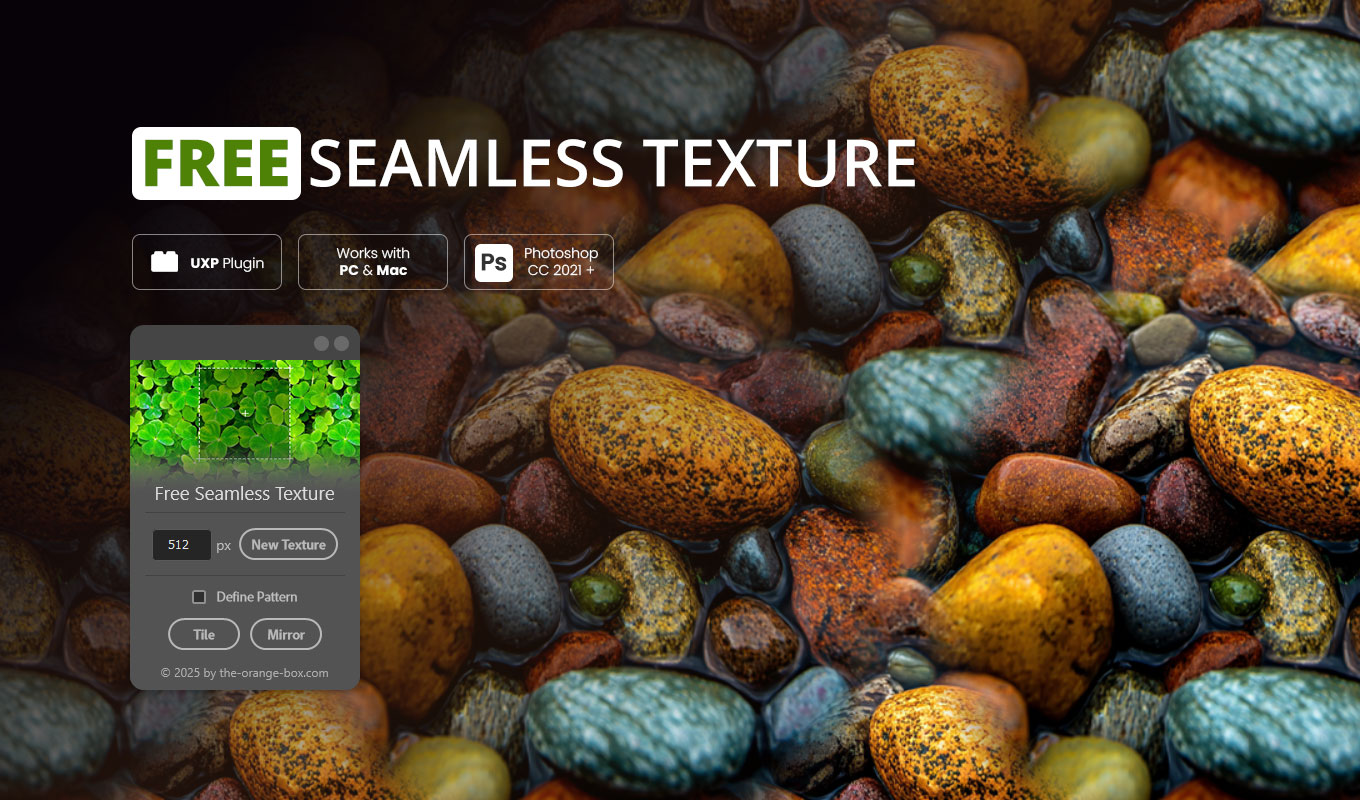
Manually creating seamless textures using Photoshop’s native “Offset” filter and the Clone Stamp tool is a frustrating, time-consuming process. The Seamless Texture Generator completely automates this workflow, turning any image layer into a perfectly tileable pattern with a single click.
This 100% free tool among Photoshop plugins operates non-destructively, keeping your original source layer completely untouched. It offers two distinct generation modes to suit your project:
- Tile Pattern: Repeats the image naturally using smart blending algorithms. Perfect for organic textures like grass, stone, or ground surfaces in 3D environments.
- Mirror Pattern: Reflects the image symmetrically, creating beautiful artistic or kaleidoscope effects.
Once generated, you can use the built-in “Define Pattern” button to send the result directly to your Photoshop pattern palette for immediate use. Like the premium tools on this list, it is built on the modern UXP architecture, ensuring native support and blazing-fast performance on both Apple Silicon Macs and modern Windows PCs.
Whether you are a 3D artist, game developer, or web designer, this free tool is an absolute must-have for your digital workspace.
Download the Free Seamless Texture Generator
4. Topaz Gigapixel AI – The Gold Standard for Upscaling Photoshop Plugins
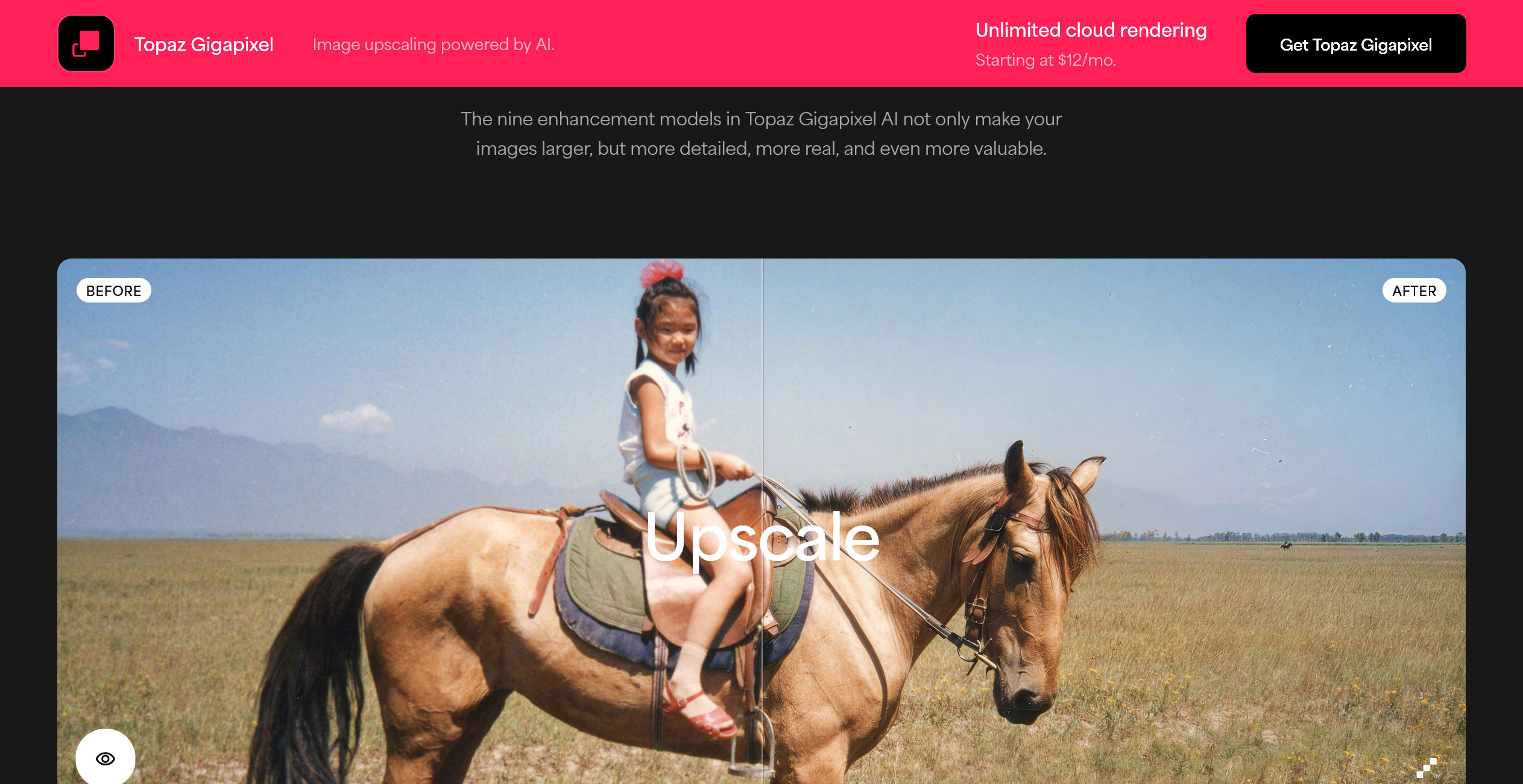
Every designer or photographer has faced the exact same nightmare: a client sends a low-resolution, heavily compressed image that urgently needs to be printed on a large canvas. While Photoshop has built-in resampling tools, Topaz Gigapixel AI is the undisputed industry standard for rescuing these files.
Instead of simply stretching pixels and applying algorithmic sharpening, Gigapixel uses advanced neural networks trained on millions of images to actually reconstruct missing details, crisp edges, and realistic textures.
Key Features for Professionals using Photoshop plugins:
- Extreme Upscaling: Enlarge images by up to 600% without the typical pixelation or blurriness associated with standard resizing methods.
- Face Recovery AI: This dedicated machine-learning model specifically recognizes and refines human faces in low-resolution photos. It is an absolute lifesaver for restoring old family photos or salvaging heavily cropped group shots.
- Artifact Reduction: It automatically removes heavy JPEG compression artifacts and noise while upscaling, delivering a clean final image.
- Seamless Integration: While it works as a standalone app, its strength lies in its ability to function directly alongside your other Photoshop plugins, allowing you to upscale specific layers without leaving your canvas.
Gigapixel AI is a premium tool, but for professionals handling print media, archival restoration, or heavy cropping, it pays for itself after the very first rescued project.
Learn more about Topaz Gigapixel AI
5. Oil Paint FX – Authentic Artistic Textures in Seconds with Photoshop Plugins
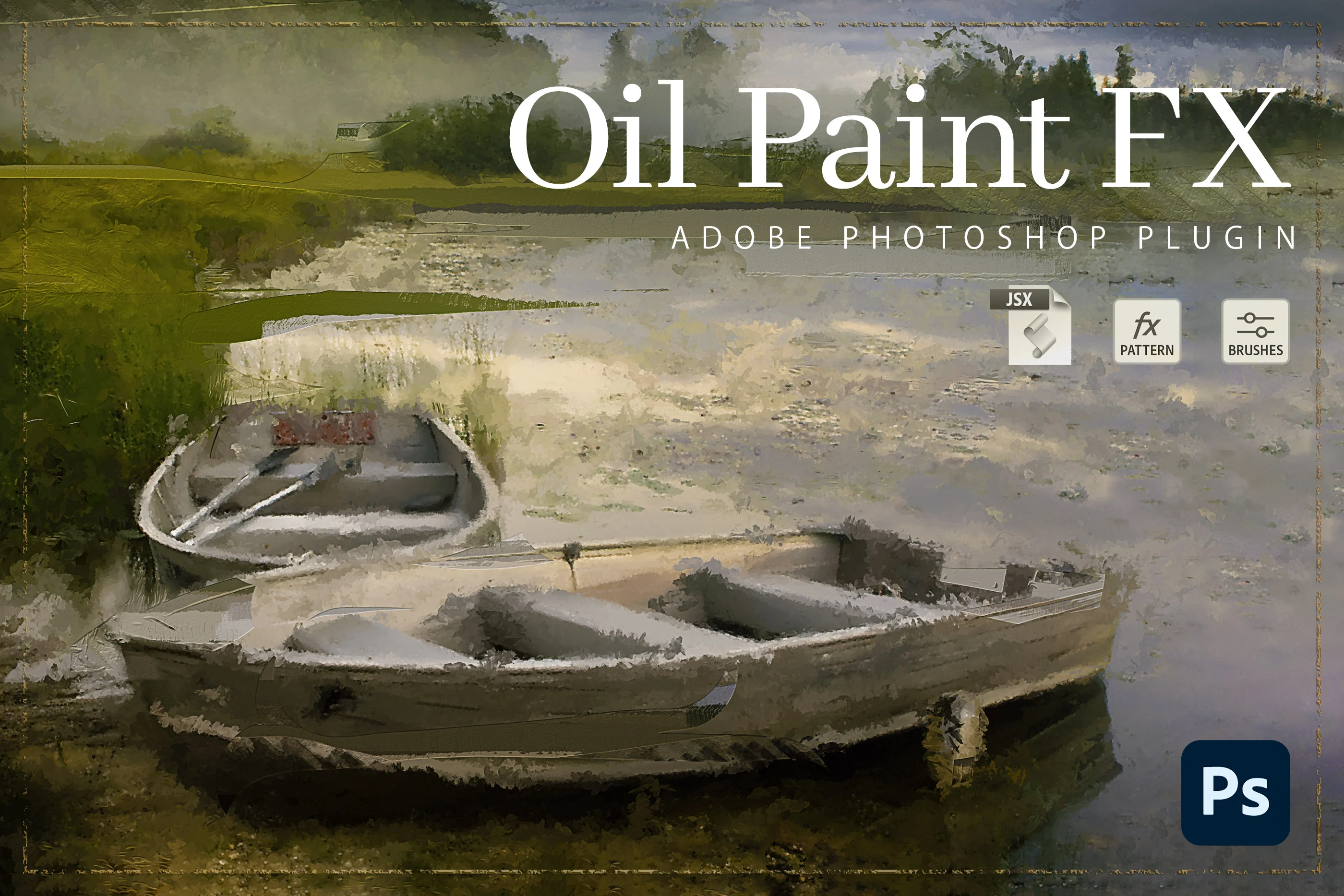
While many Photoshop plugins focus on technical photo corrections, Oil Paint FX is built purely for creative transformation. Turning a standard photograph into a realistic, traditional oil painting usually requires advanced digital brush skills, a graphics tablet, and hours of tedious work. This plugin automates that entire artistic process.
Instead of applying a cheap, flat filter, Oil Paint FX uses smart ActionScripts to study the patterns of your image. It generates realistic, wide brush strokes and layered textures that emulate a genuine oil-painted canvas, adding a beautiful level of abstraction to your photos.
Key Features for Digital Artists:
- Smart Resolution Scaling: If your starting photo is too small (under 2500 pixels), the plugin automatically resizes the document first. This ensures the digital brush strokes and textures render perfectly every single time.
- Modern UXP Integration: Works seamlessly with the latest Photoshop CC versions on both Mac and PC, regardless of your system language.
- Bonus Canvas Mockups: To help you present your work professionally, the plugin package includes 3 high-resolution, editable mockups. You can instantly showcase your digital painting as a physical framed canvas.
- Commercial Freedom: These Photoshop plugins grant you the rights to resell whatever artwork you create, making it a highly profitable tool for Etsy shop owners and print-on-demand sellers.
If you want to expand your portfolio with artistic effects but lack the time or experience for manual digital painting, this tool is an absolute must-have.
6. 3D Map Generator – Real 3D Terrains and Isometric Maps via Photoshop Plugins
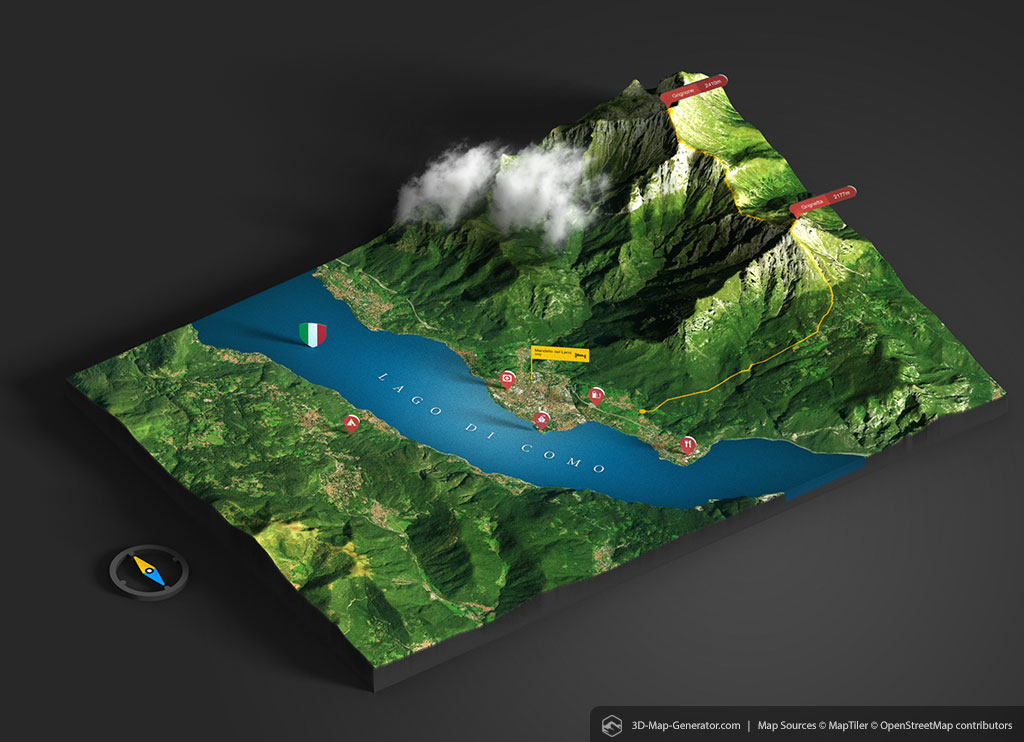
Creating isometric 3D maps and real-world terrains from scratch is incredibly complex. The 3D Map Generator (3D-Mapper) has been the industry secret for illustrators, game designers, and infographic creators, allowing you to generate real 3D maps of almost every place on earth directly inside Photoshop.
Important Note on Compatibility: Because Adobe phased out native 3D features from Photoshop, this specific powerhouse among Photoshop plugins requires Photoshop CC-2015.5 up to CC-2021 (v22.2). You can easily keep this older version installed via the Creative Cloud app. Despite this technical limitation, it remains completely unrivaled in its capabilities.
Key Features:
- Integrated Location Browser: Search for any place on earth directly in Photoshop using coordinates or Google Maps URLs. Choose between OpenStreetMap, OpenTopoMap, or Satellite data.
- GPX File Import: Upload real GPS data files to generate stunning 3D maps featuring your actual routes and tracks.
- Fully Editable 3D Scenes: Rotate, resize, and customize your map. Add over 20 customizable 3D elements like map pins, buildings, and text that follow your camera movement.
- 3D Export & Printing: Render your final map directly in Photoshop, or export the scene as .dae, .obj, .stl, or .glb to use in software like Blender or Cinema 4D. You can even send it directly to a 3D printer!
If your work involves geographic illustrations, sports routing, or level design, keeping Photoshop v22.2 installed specifically for this tool is an absolute no-brainer.
Get the 3D Map Generator on GraphicRiver
Learn more at the official 3D Map Generator website.
7. Fontself Maker – Create Custom Fonts in Seconds using Photoshop Plugins
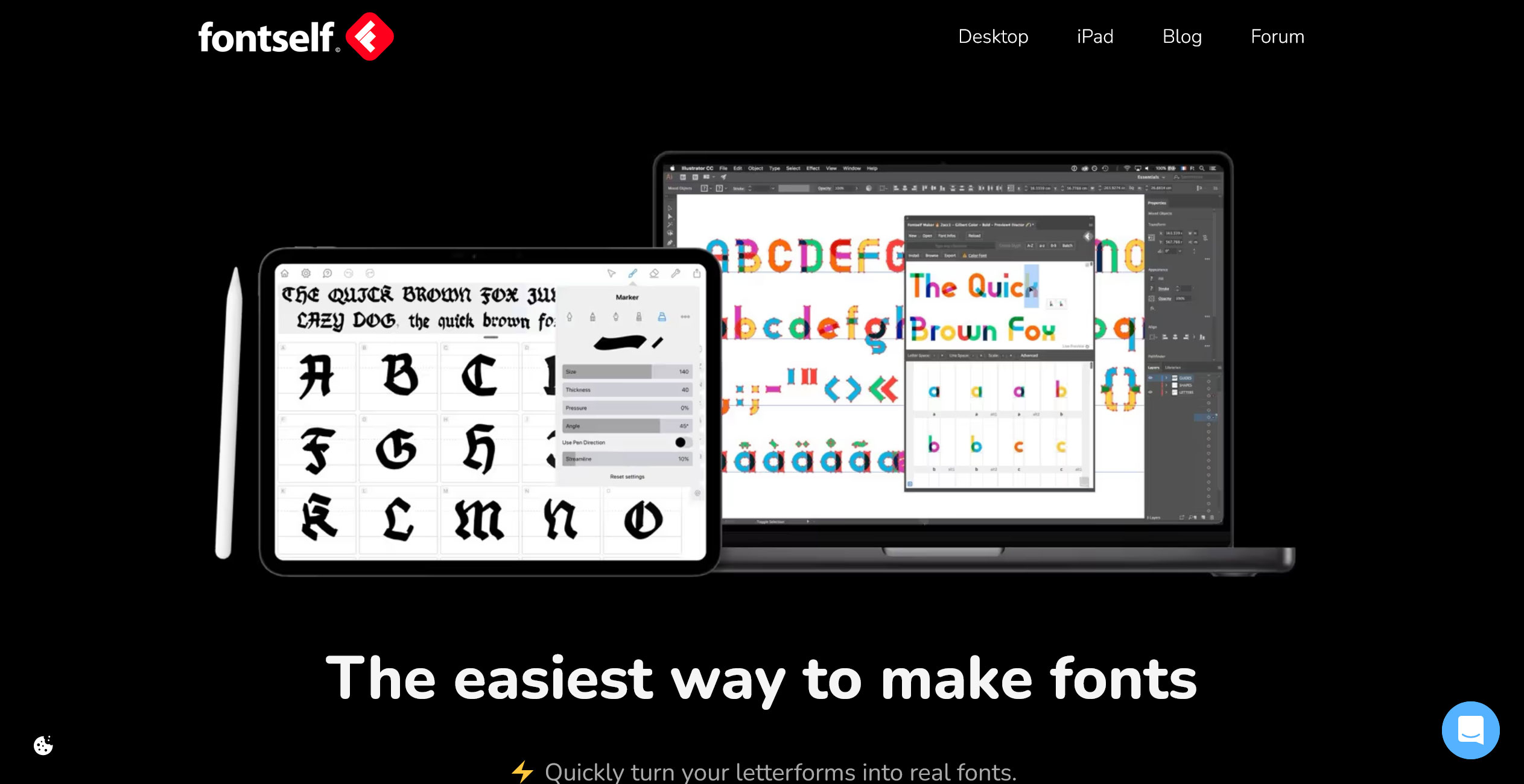
If you have ever wanted to turn your handwriting, digital sketches, or scanned lettering into a working, typeable font, Fontself Maker is the absolute best tool on the market. In fact, out of all Photoshop plugins, this is one we actively use in our own daily design workflow, and it is nothing short of brilliant.
Traditional typography software (like FontLab or Glyphs) comes with a massive learning curve and an overwhelming interface. Fontself removes all of that friction by bringing font creation directly into Photoshop with a simple drag-and-drop panel.
Key Features for Designers:
- Drag & Drop Creation: Simply select your layers or shapes in Photoshop, drag them into the Fontself panel, and it instantly maps them to the correct letters.
- Color Fonts Support: Unlike traditional black-and-white fonts, you can create fully colored, textured Opentype-SVG fonts. This is perfect for watercolor lettering or complex digital art.
- Smart Kerning & Ligatures: Adjusting the space between specific letter pairs (like ‘A’ and ‘V’) is incredibly intuitive. You can also easily create custom ligatures for overlapping letters.
- One-Click Export: Export your creation instantly as a standard OpenType (.otf) file, ready to be installed on any Mac or PC, or sold on marketplaces like Creative Market.
For graphic designers, branding specialists, and digital artists, Fontself pays for itself the moment you create and use (or sell) your very first custom typeface.
Learn more about Fontself Maker
8. Pixel2Vector II – Instant Raster to Vector Conversion (Free Photoshop Plugins)
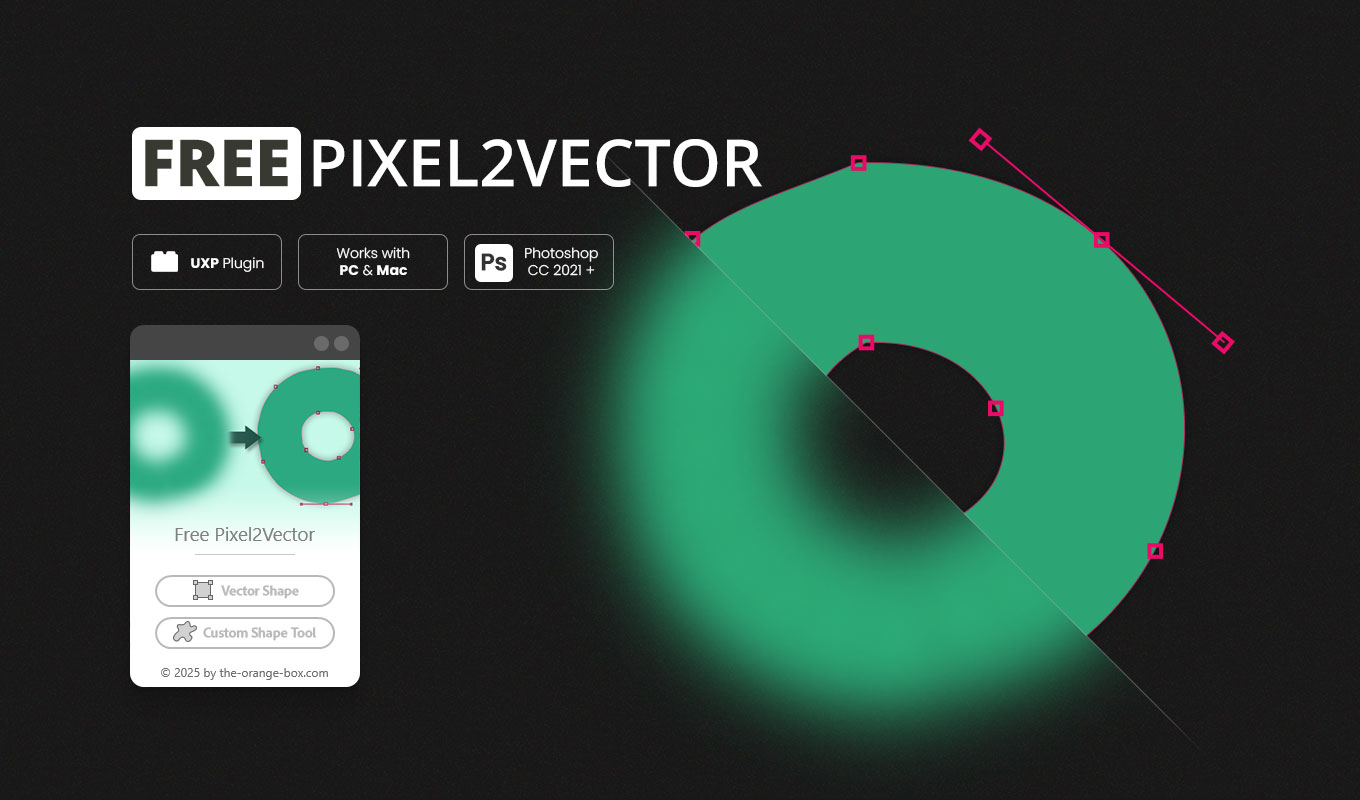
Designers constantly face the frustrating task of turning low-resolution logos, hand-drawn sketches, or raster icons into scalable vector artwork. While Photoshop has a built-in “Make Work Path” feature, it notoriously generates jagged edges and a messy cluster of unnecessary anchor points.
Pixel2Vector II is a professional-grade, 100% free tool among Photoshop plugins that completely automates this process. With a single click, it analyzes the transparency (Alpha Channel) of any pixel-based layer and transforms it into a clean, infinitely scalable Vector Shape Layer.
Why you need this in your toolkit:
- Precision Conversion Engine: Unlike native tools, its optimized algorithm ensures smooth edges and a highly reduced anchor point count, making the resulting vectors incredibly easy to edit with the Pen Tool.
- Shape Library Integration: You can choose to generate a new Shape Layer on your canvas or save the extracted vector path directly into your Photoshop Custom Shapes library for future use.
- Completely Non-Destructive: Your original pixel layer stays completely untouched and safe.
- Modern UXP Architecture: Fully rebuilt for 2026, version 2 runs natively and lightning-fast on all Apple Silicon (M1/M2/M3) Macs and modern Windows PCs.
There are no hidden costs or subscriptions. If you regularly need to vectorize solid shapes, silhouettes, or line art, this will become one of your most used Photoshop plugins.
Download the Free Pixel2Vector II Plugin
9. Retouch4me – High-End AI Portrait Retouching Photoshop Plugins

For wedding, fashion, and portrait photographers, high-volume retouching is often the most time-consuming part of the job. Manual frequency separation and precise dodge & burn can take 20 minutes per photo. Retouch4me revolutionized this workflow by using advanced neural networks to automate high-end retouching with a single click.
Unlike older Photoshop plugins that simply blur the skin to hide imperfections (resulting in a fake, “plastic” look), Retouch4me’s AI recognizes facial structures, lighting, and anatomy to clean up blemishes while perfectly preserving the natural skin texture.
Key Features for Photographers:
- Modular AI System: Instead of a bloated all-in-one app, Retouch4me offers dedicated Photoshop plugins for specific tasks: Dodge & Burn, Skin smoothing, Eye Brilliance, Portrait Volumes, and Teeth Whitening. You only buy the tools you actually need.
- Flawless Batch Processing: It works seamlessly with Photoshop Actions. You can set up a script to run Retouch4me on a folder of 500 wedding photos while you are away from the keyboard.
- Non-Destructive Output: The plugin generates its corrections on a transparent top layer. This allows you to easily adjust the opacity or mask out specific areas if the AI effect is too strong.
- True-to-Life Results: It mimics the exact workflow of a professional retoucher, maintaining shadows and highlights without flattening the face.
If portrait photography is your business, the hours you save with Retouch4me will pay for the software within the first week of a busy shooting season.
Learn more about Retouch4me Plugins
10. Watercolor FX – Authentic Digital Painting in One Click with Photoshop Plugins

Creating a realistic watercolor effect digitally usually involves stacking dozens of textures, custom brushes, and complex blending modes. Most standard “watercolor filters” just blur the image and look incredibly cheap. Watercolor FX is a professional tool among Photoshop plugins that builds a complex, authentic, and layered painted artwork with a single click.
Designed for illustrators, photographers, and Print-on-Demand sellers, this tool applies soft washes of color, natural paper textures, and artistic brush splashes while preserving the fine details of your original subject.
Key Features for Creatives:
- Fully Editable Layers: Unlike flat filters, Watercolor FX generates a comprehensive layer stack. You have total control to hide or adjust splashes, tweak pencil strokes, change contrast, or modify the background color to match your exact vision.
- Print-Ready Output: This is a massive advantage for Etsy sellers. As one of the top Photoshop plugins, it automatically upscales small images to a minimum of 3000 pixels on the longest side and ensures the document is set to 300 dpi (RGB), making it instantly ready for high-quality merchandise printing.
- Smart Composition: Simply mask your focus area, and the plugin intelligently centers and optimizes the effect around your subject.
- Native UXP Performance: Built on modern architecture, it runs flawlessly on M-series Apple Silicon Macs and Windows PCs without slowing down your system.
If you want to offer artistic styles to your clients or expand your merchandise portfolio without spending hours hand-painting, Watercolor FX provides professional results instantly.
11. Luminar Neo – AI-Powered Creative Photo Editing Photoshop Plugins
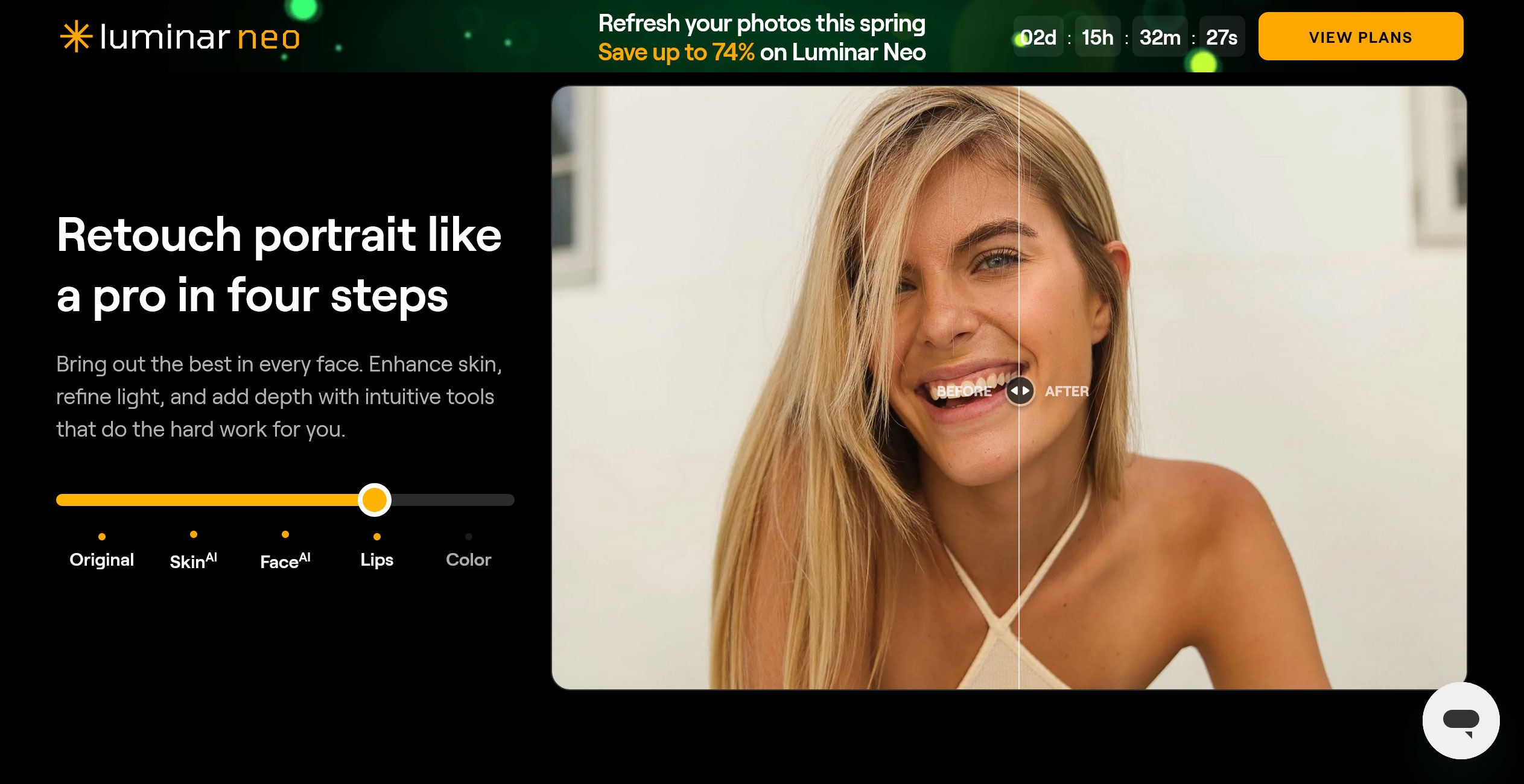
While Photoshop is the king of manual compositing, Luminar Neo specializes in “computational photography.” It uses complex AI models to handle atmospheric and structural changes that would take hours to mask manually. When used alongside your other Photoshop plugins, it acts as a powerful creative engine that complements your existing workflow.
Landscape and architectural photographers love it for its ability to intelligently relight scenes and replace elements like skies or backgrounds with uncanny realism.
Key Features for Modern Editors:
- Sky AI: The most famous feature for a reason. It doesn’t just cut out the sky; it automatically adjusts the lighting and color temperature of the foreground to match the new sky, ensuring a seamless blend.
- Relight AI: This tool builds a 3D depth map of your 2D photo, allowing you to independently adjust the lighting of the foreground and background—perfect for fixing backlit subjects.
- GenErase & GenSwap: Using generative AI, you can easily remove distracting objects or replace them with entirely new elements that match the lighting and texture of your photo.
- Atmosphere AI: Add realistic fog, mist, or haze that respects the depth of your image, placing the effect behind trees or buildings rather than just as a flat overlay.
Luminar Neo is perfect for those who want to spend less time on technical masking and more time on the creative vision of their final image.
12. Impressionism Paint FX – Turn Photos into Masterpieces with Photoshop Plugins

If you want to emulate the thick, visible brushstrokes and vibrant light of masters like Monet or Renoir, Impressionism Paint FX is the ultimate shortcut. While standard filters often struggle to replicate the “impasto” look of real paint, this standout among Photoshop plugins uses smart ActionScripts to create a rich, textured surface that feels like a physical canvas.
The beauty of this tool lies in its intelligence: the script analyzes your image’s colors and shapes to apply varied brushwork that stays consistent with the original composition, yet adds a beautiful level of artistic abstraction.
Key Features for Professional Results:
- Smart Layer Architecture: The final result is a fully organized PSD file. You can reveal or hide specific layers of paint, textures, and details to decide exactly how abstract or defined your final artwork should look.
- High-Resolution Ready: If your starting photo is smaller than 2500 pixels, the plugin automatically scales it up. This ensures that the specialized filters and patterns always produce a sharp, high-quality result suitable for large-scale printing.
- Includes Premium Assets: Along with these Photoshop plugins, you get 10 high-resolution seamless patterns and 5 high-quality mockups to present your paintings in realistic gallery settings.
- Multilingual Support: Unlike many older scripts that only work in English, Impressionism Paint FX works flawlessly in any Photoshop language on both Mac and PC.
For designers creating personalized gifts, unique social media content, or print-on-demand art, this is an essential tool among Photoshop plugins for adding a high-end, hand-painted aesthetic to any project.
Conclusion: Which Photoshop Plugins Should You Choose?
The “perfect” plugin doesn’t exist—there is only the perfect tool for your specific bottleneck. After reviewing the best Photoshop plugins of 2026, here is our quick recommendation to help you decide:
- For E-commerce & POD Growth: MockupBatch is the clear winner. It eliminates the single biggest time-waster in product presentation without tying you to a monthly subscription.
- For Visual Artists: If you want to turn photos into authentic art, Watercolor FX and Oil Paint FX offer a level of layered control that simple AI generators can’t match.
- For Photographers: The combination of Topaz Gigapixel AI for upscaling and Retouch4me for skin work remains the gold standard for professional output.
- For the Budget-Conscious: Don’t overlook the free power of Pixel2Vector II and the Seamless Texture Generator. They solve “small” problems that add up to big time savings.
One final tip: When building your toolkit in 2026, always prioritize UXP-based Photoshop plugins. They ensure your workflow stays fast and stable on the latest versions of Photoshop and modern Apple Silicon or Windows hardware.
What’s your “must-have” among Photoshop plugins this year? Did we miss one of your favorites? Let us know in the comments below—we’d love to hear how you’re automating your creativity!
Hi, I’m Mic, creator of The Orange Box. I develop Photoshop tools that simplify workflows and deliver high-quality results with one click — practical, modern, and built for real everyday use.