What Happened to FX Box? (Legacy Photoshop Extension Explained)
Table of Contents
The FX Box was a CEP-based Photoshop extension that allowed users to load and run multiple FX tools inside one panel. It worked well for many years and is still functional on Windows, even in current Photoshop versions — as long as Adobe keeps CEP enabled.
On macOS, especially Apple Silicon, CEP support has been reduced or disabled. Adobe has been shifting developers toward UXP, and it’s likely that CEP will eventually be removed entirely. For that reason, we decided not to continue supporting FX Box and instead migrated all FX tools into standalone UXP plugins.
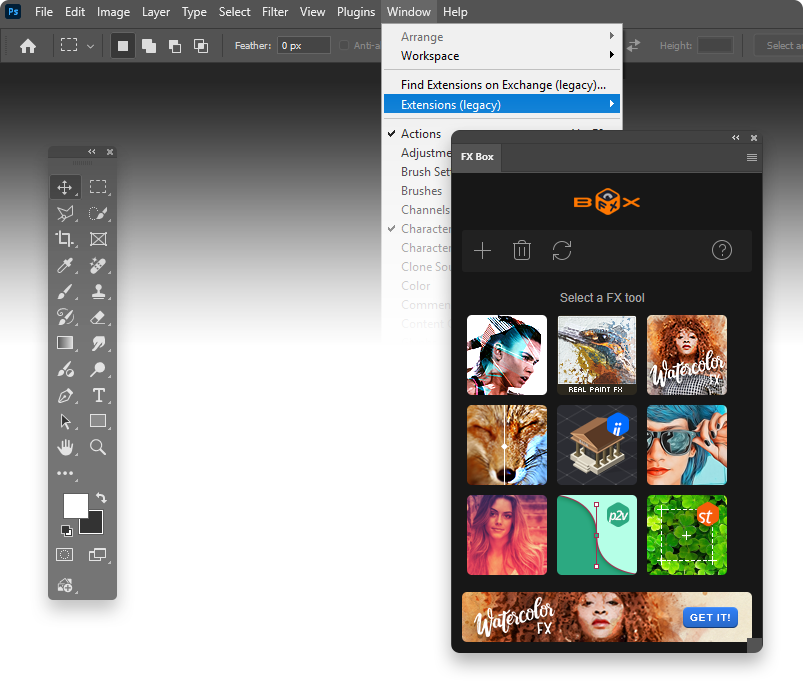
Why FX Box Is Now Legacy
- CEP is no longer fully supported on macOS
- Apple Silicon blocks older extension formats
- Adobe’s roadmap prioritizes UXP
- Maintaining FX Box would limit compatibility for many users
So rather than updating the old framework, all FX tools were rebuilt as modern UXP plugins — faster, more stable, and compatible with the latest Photoshop releases.
Where the FX Tools Are Now

Free UXP Tools
All free FX tools have been migrated to modern UXP versions:
👉 You can find them here.
Paid UXP Tools
Legacy Download (for Older Windows Setups)
We still provide the last version of FX Box v1.3 as a legacy download for users running older Photoshop versions: DOWNLOAD HERE
No support, no updates — purely for compatibility.
Conclusion
FX Box was a great tool in its time, but the future of Photoshop extensions is UXP. To ensure full compatibility across Windows and macOS (including Apple Silicon), all FX tools now exist as standalone UXP plugins.
Hi, I’m Mic, creator of The Orange Box. I develop Photoshop tools that simplify workflows and deliver high-quality results with one click — practical, modern, and built for real everyday use.